Screenshot Hero

For iPhone

Screenshots, done.
Camera roll, clear.

A flight goes into Calendar, a bill becomes a reminder, a link opens, an article becomes a note. Screenshot Hero reads every screenshot and photo of information on your iPhone, knows what it's for and does it in one swipe. Once it's done, clear it in one pass and your camera roll gets its space back.

Coming soon to the App Store See how it works

Free to start · iOS 18 or later · No account

Do itClearLater
9:41
Your boarding pass
FlightKL 1693
FromShanghai PVG
ToAmsterdam AMS
DepartsTue 21 Oct · 07:15
Seat32A
FlightSuggest · Do it

Shanghai → Amsterdam

Add to Calendar
Do itClearLater
9:41
Invoice #2291
FromAcme Studio BV
Amount€1,200.00
DueFri 17 Oct
IBANNL91 •••• 1643 00
BillSuggest · Do it

Invoice #2291

Remind me on Friday
Do itClearLater
9:41
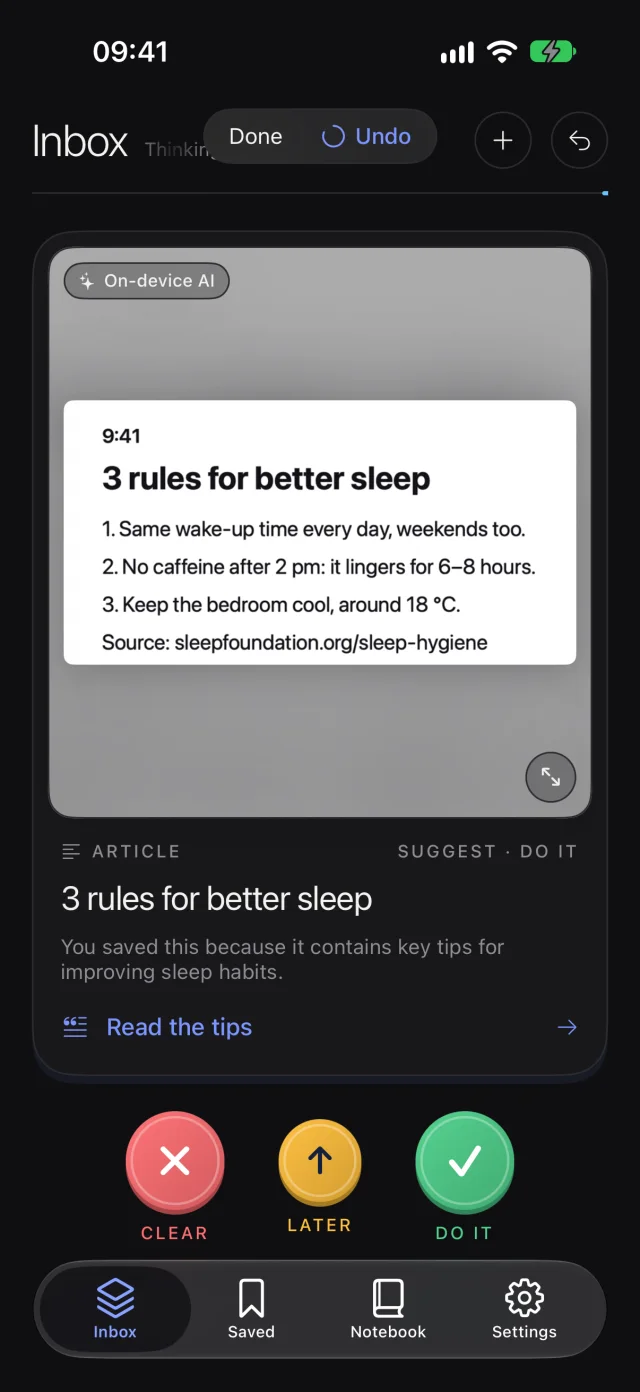
3 rules for better sleep
  1. Same wake-up time every day
  2. No caffeine after 2 pm
  3. Keep the bedroom cool, around 18 °C
sleepwell.example/tips
ArticleSuggest · Do it

3 rules for better sleep

Save to Notebook
Do itClearLater
nonnas.kitchen/pasta-norma
Pasta alla Norma
30 min · Serves 2
RecipeSuggest · Do it

Pasta alla Norma

Open the recipe
Do itClearLater
¯\_(ツ)_/¯
Monday, again
MemeSuggest · Clear

Nothing to do here

Clear it now; it goes to Recently Deleted only after you review it.

Inbox zero

All caught up.

That's how every screenshot ends.

How it works

One card per screenshot.
One swipe per card.

New screenshots line up in your Inbox, already read. Each card says what it is and what to do with it. You decide, with your thumb.

Swipe right

Do it

The flight goes into Calendar, the Wi‑Fi joins, the place opens in Maps, the article lands in your Notebook. Prefilled; you confirm.

Swipe up

Later

Not now? It comes back to the top of your Inbox tomorrow morning, then in three days, then in a week. Later isn't a pile.

Swipe left

Clear

Memes, duplicates, codes that expired. Set aside, never erased behind your back: you review them, and they go to Recently Deleted.

Read on your iPhone

It knows a boarding pass from a menu.

Apple Vision reads the text, the QR codes and the dates on the device. Rules, and the iPhone's own AI where it has one, settle many screenshots before anything is sent anywhere.

  • Flights, hotels, bookings and tickets, with the right dates and places
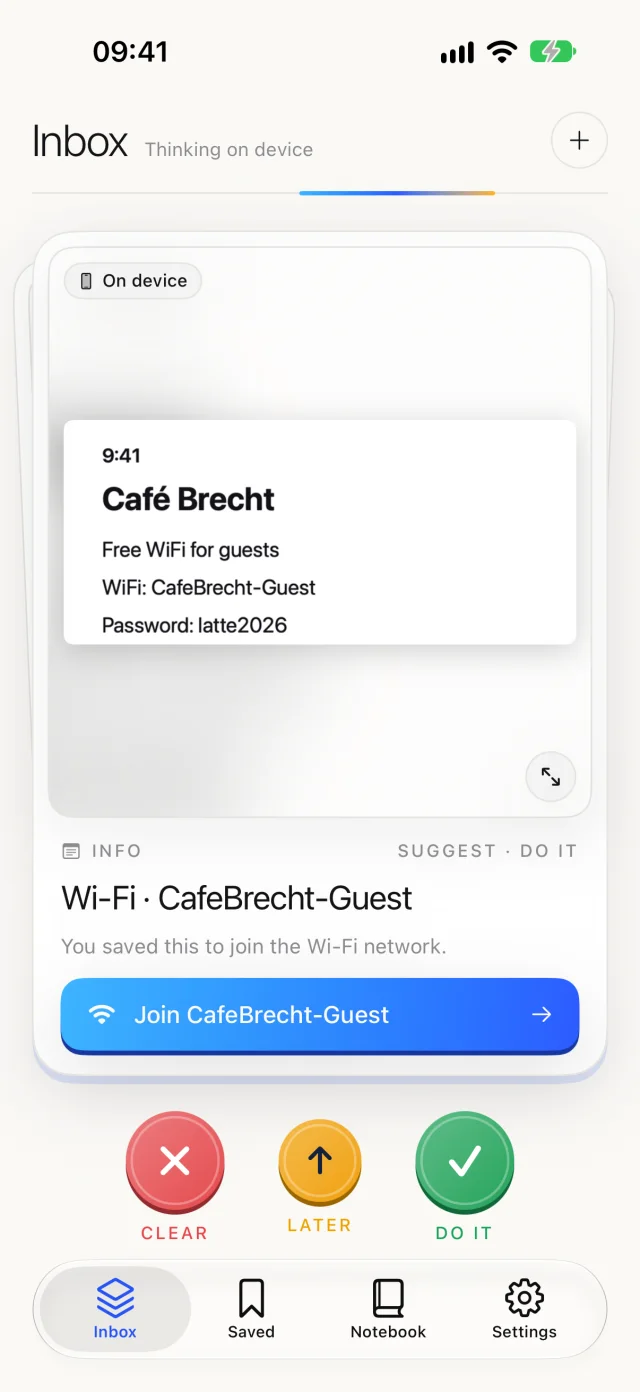
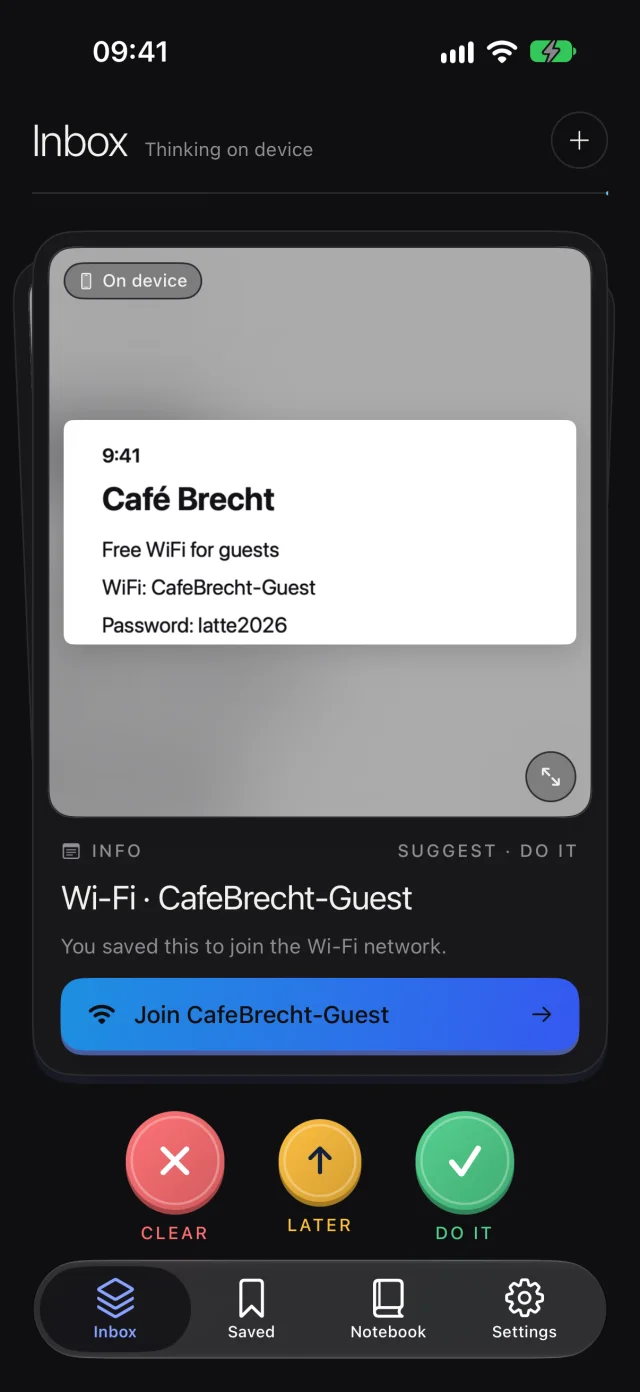
  • Wi‑Fi signs and QR codes, joined in one tap
  • Restaurants, shops and routes, straight to Maps
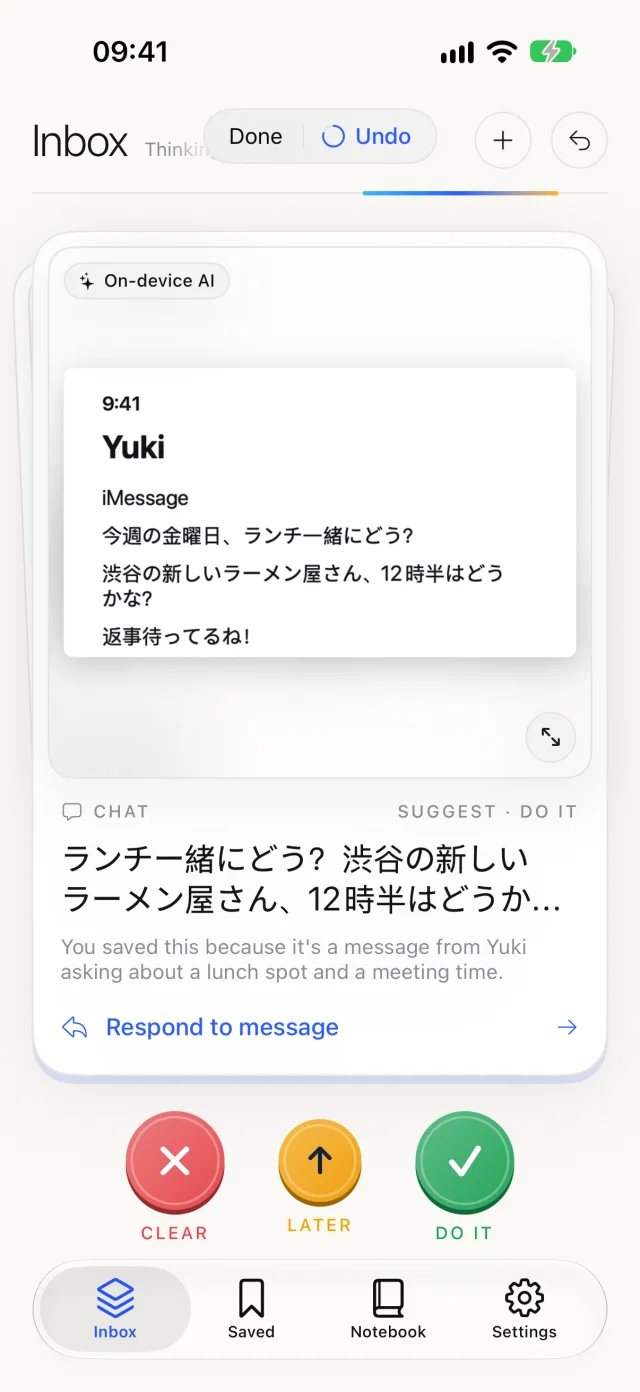
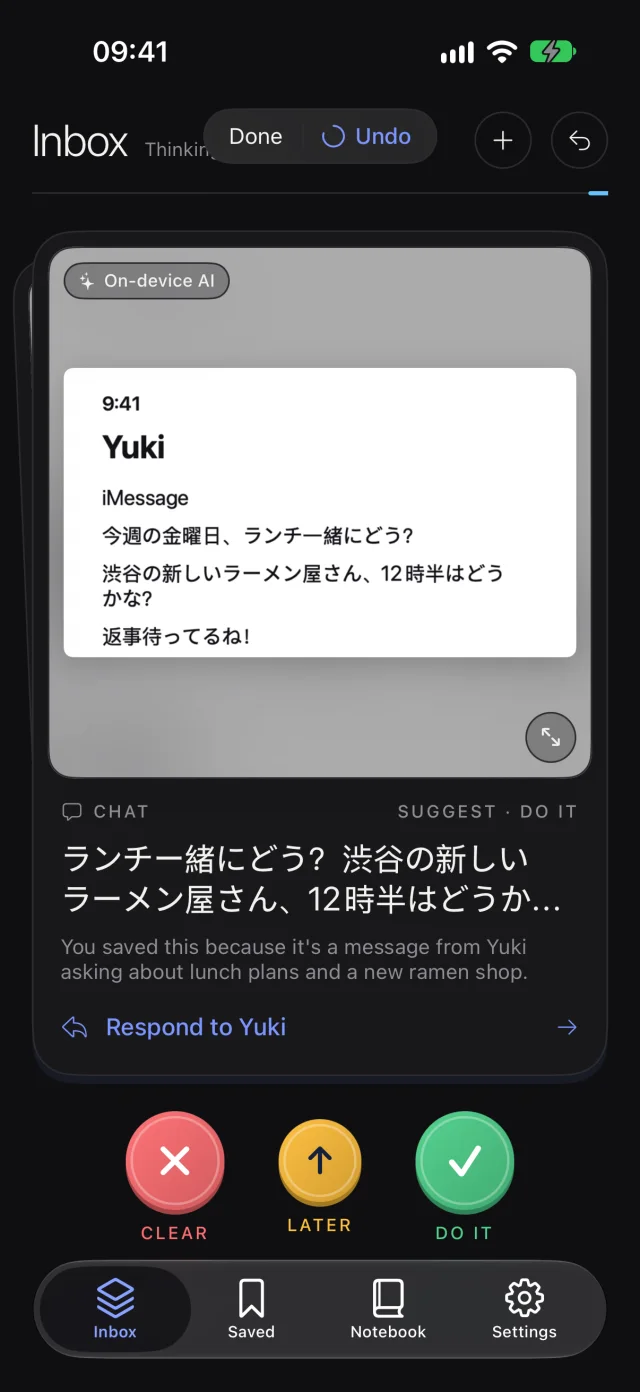
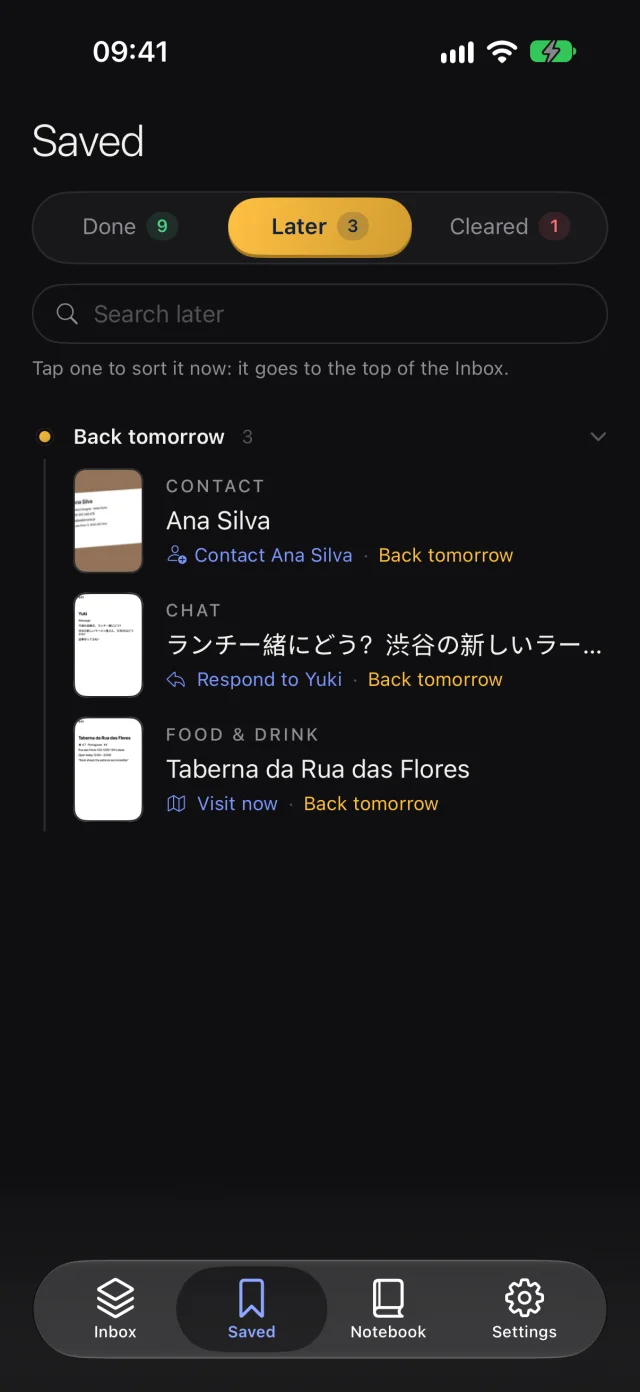
  • Chats that wait for an answer, with a reply drafted in their language
The Inbox: a Wi‑Fi card with a Join button and the Clear, Later and Do it ringsThe Inbox: a Wi‑Fi card with a Join button and the Clear, Later and Do it rings
A Japanese chat read as a message waiting for a replyA Japanese chat read as a message waiting for a reply

Cases

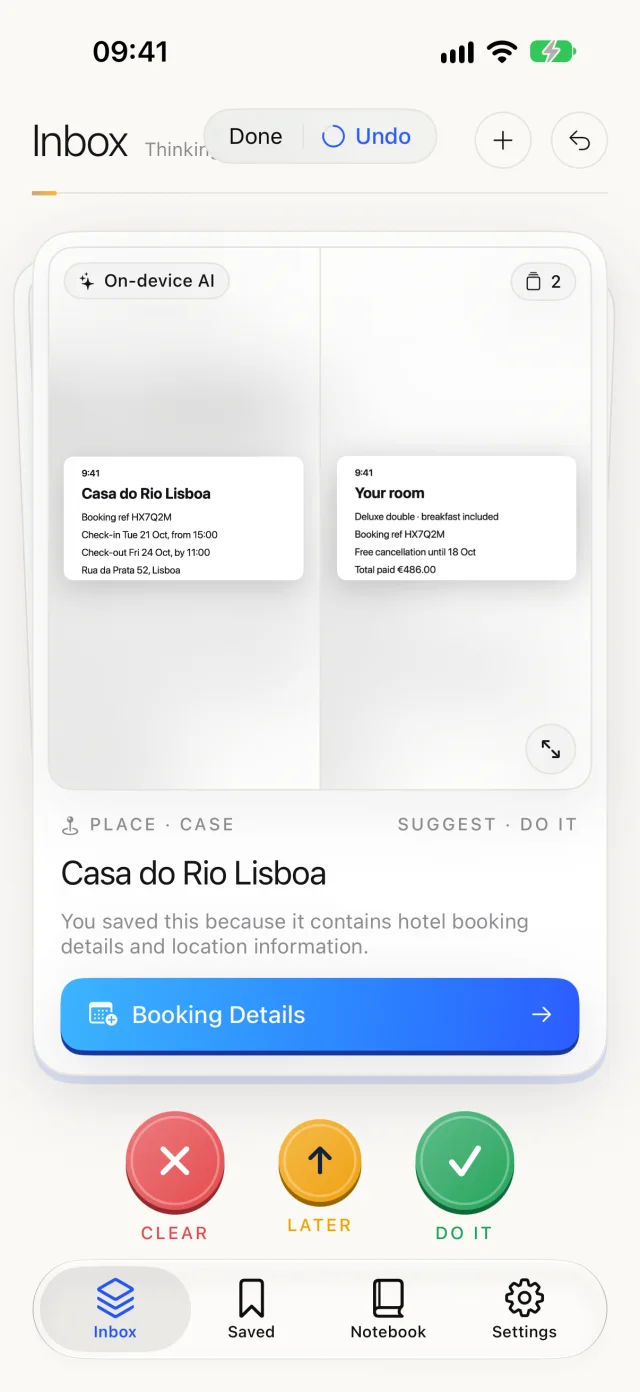
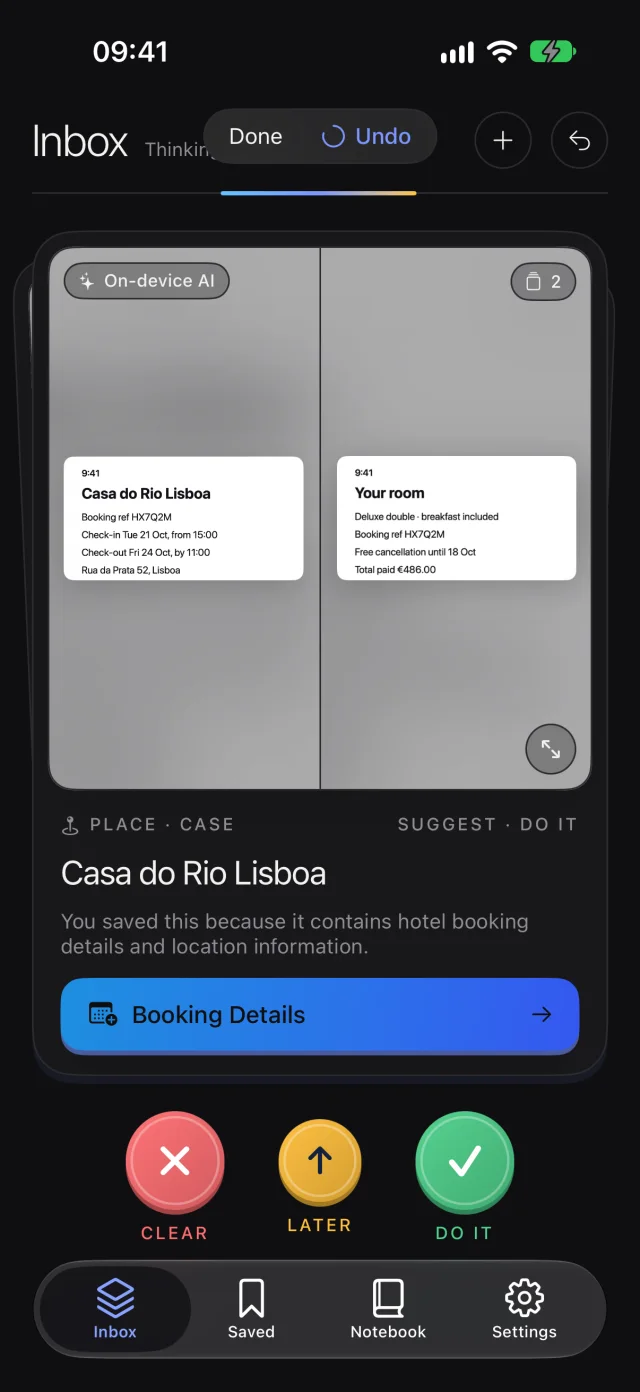
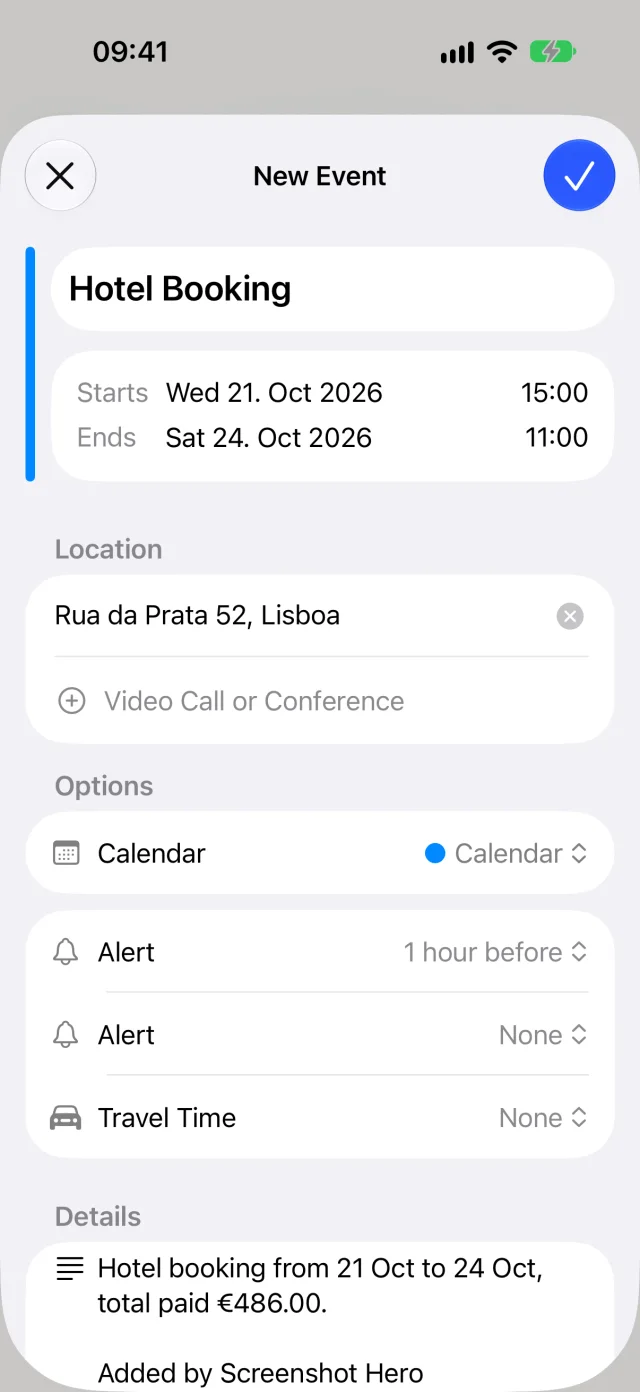
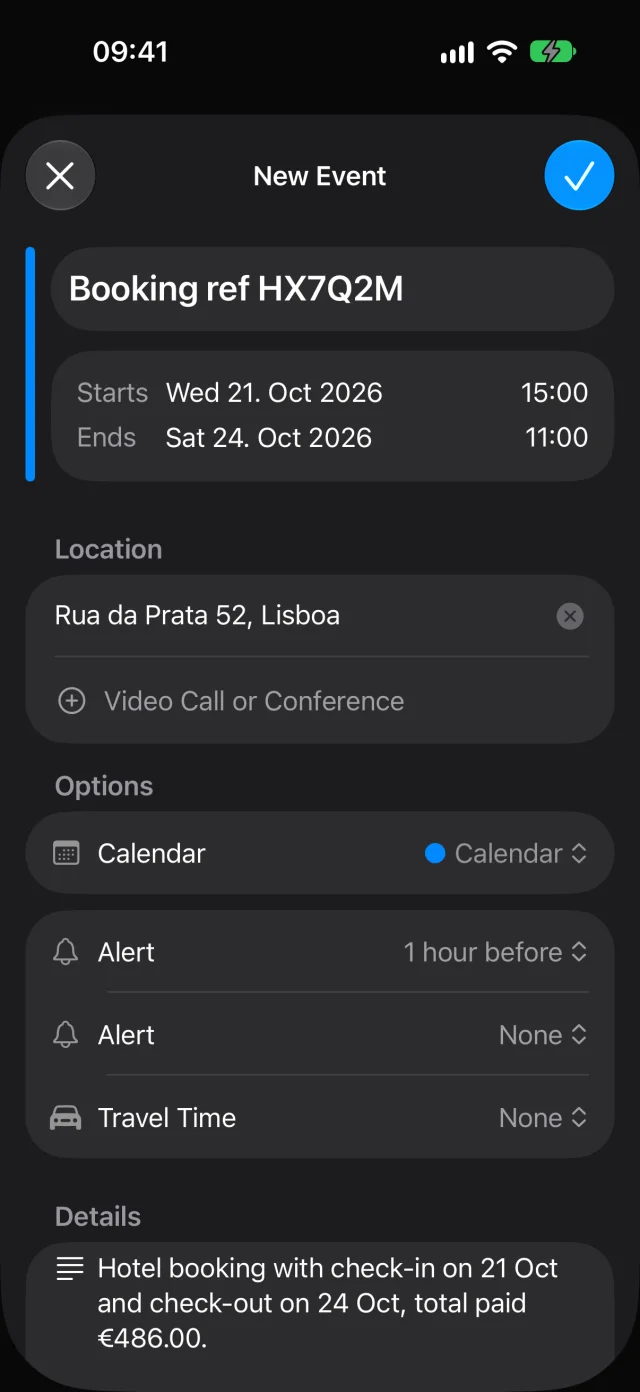
Three screenshots of one trip. One card.

The booking, the room and the address, taken days apart, are recognized as the same thing and handled once. The event comes prefilled: dates, place, details.

CalendarRemindersMapsNotesContactsGoogle CalendarNotionObsidianThingsTodoistShortcuts
Two hotel screenshots grouped into one caseTwo hotel screenshots grouped into one case
A calendar event prefilled from the bookingA calendar event prefilled from the booking

Notebook

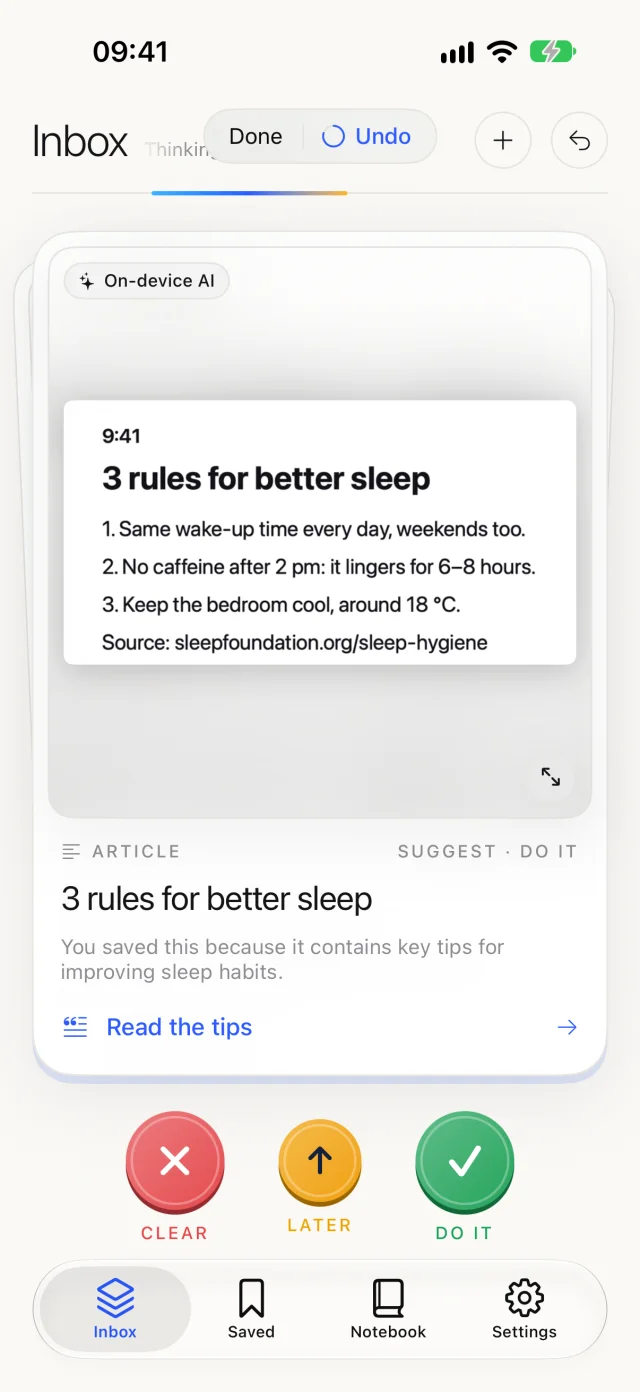
Articles and tips, kept as notes worth rereading.

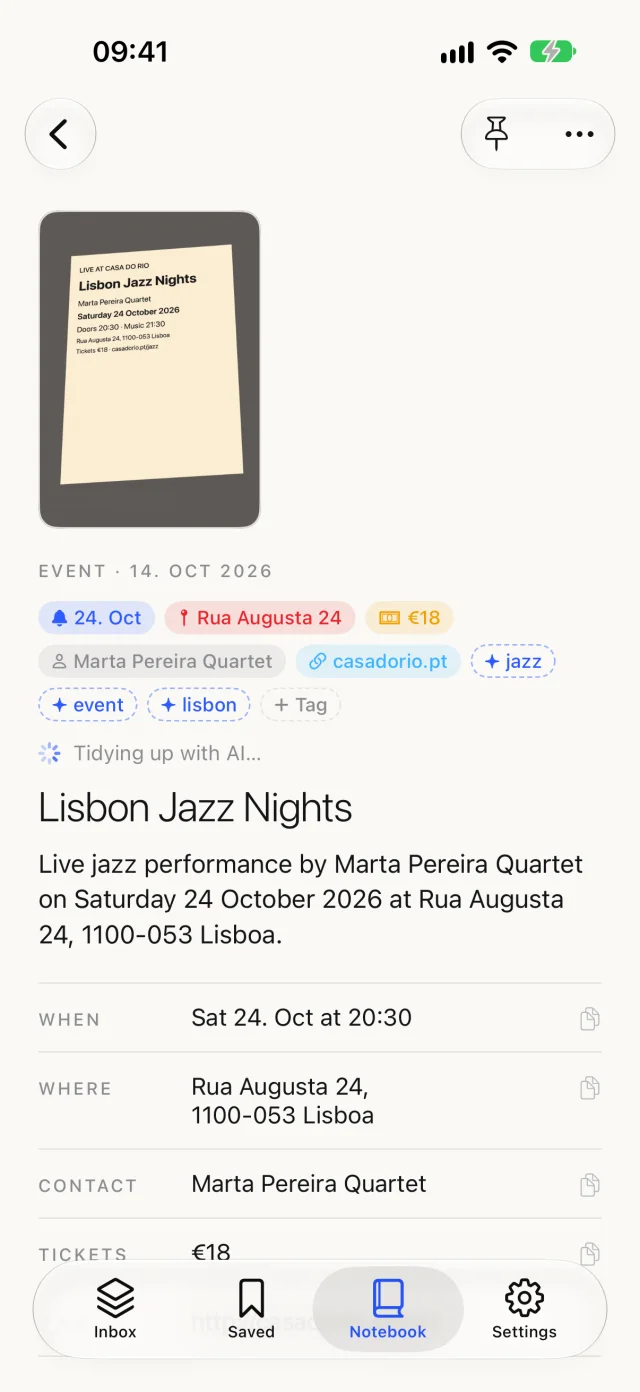
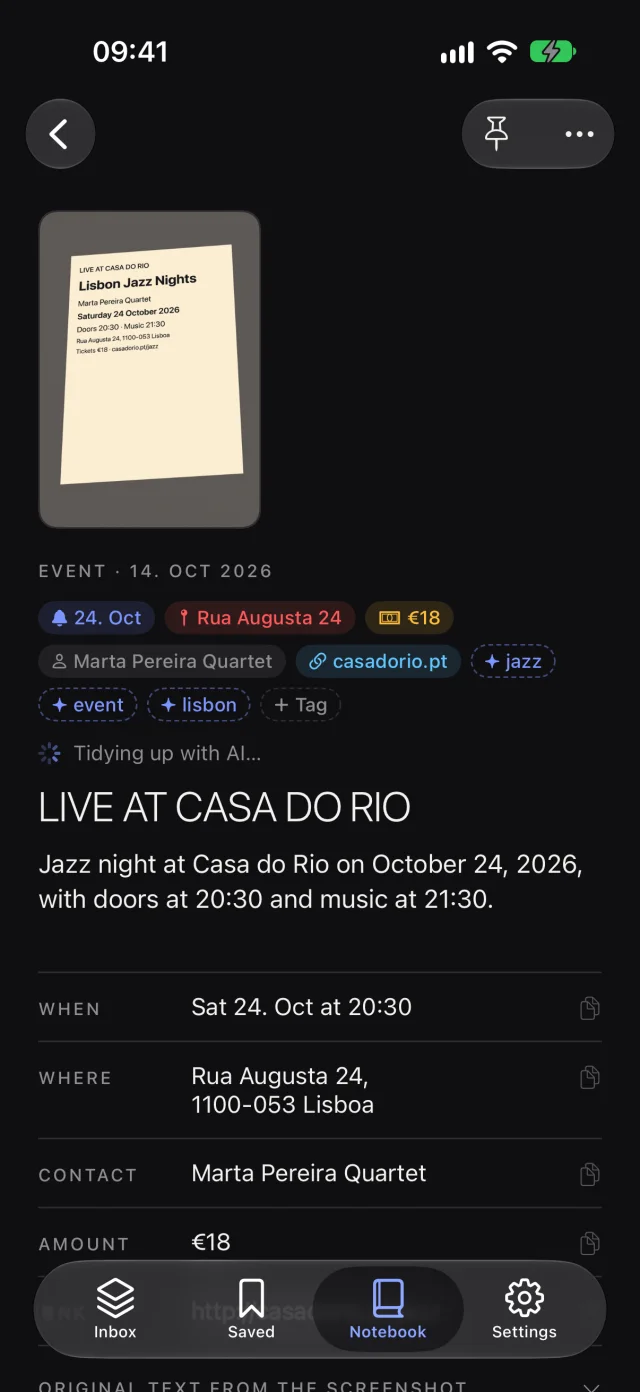
Save a screenshot to the Notebook and it becomes a note with its image and full text. AI can tidy it: a real title, a short summary, the key points, in your language. The original stays.

  • Tags, dates and pins, found in seconds
  • Send on to Notes, Notion, Obsidian, Bear or a Shortcut
  • Passwords and codes masked before a note leaves the app
An article screenshot ready to save as a noteAn article screenshot ready to save as a note
A note in the Notebook with its image and textA note in the Notebook with its image and text

Space back

Fewer screenshots. More room.

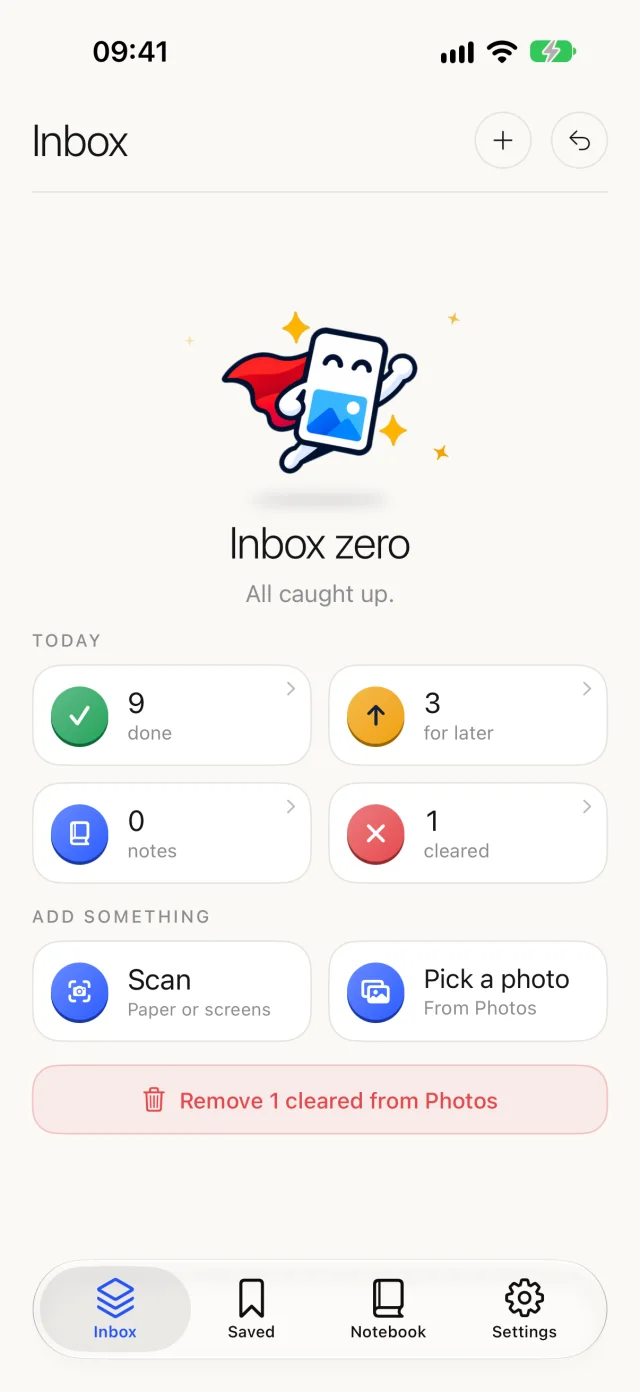
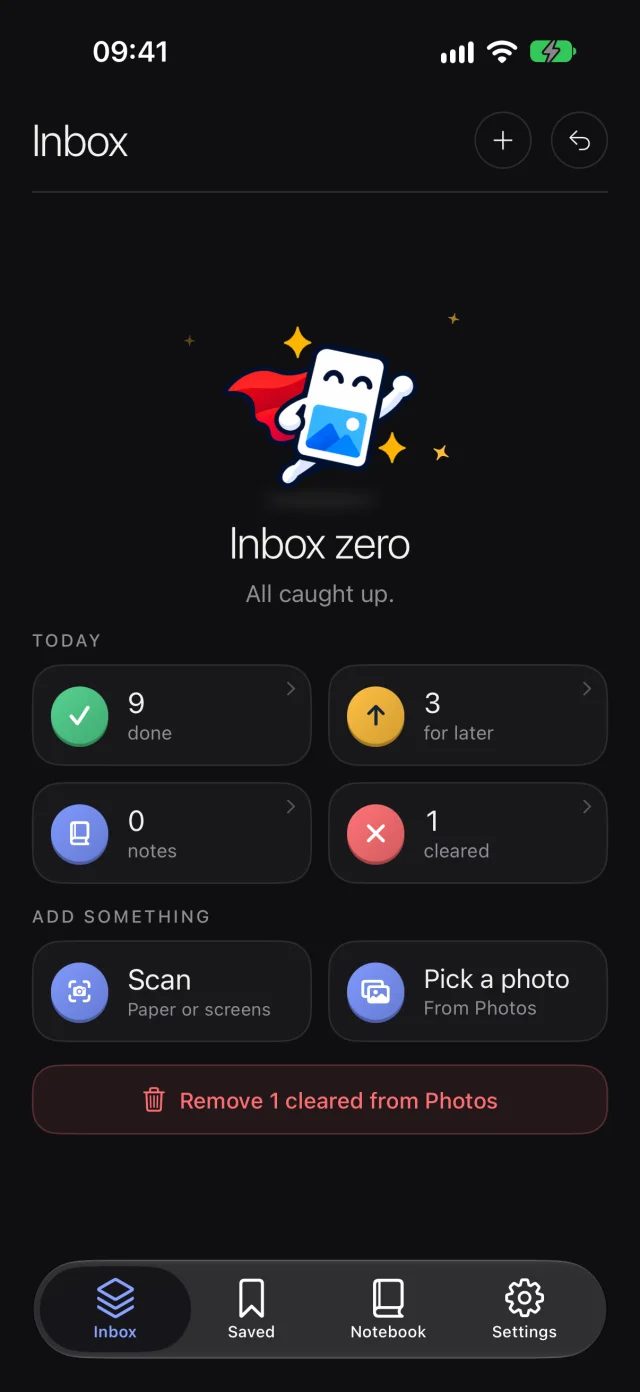
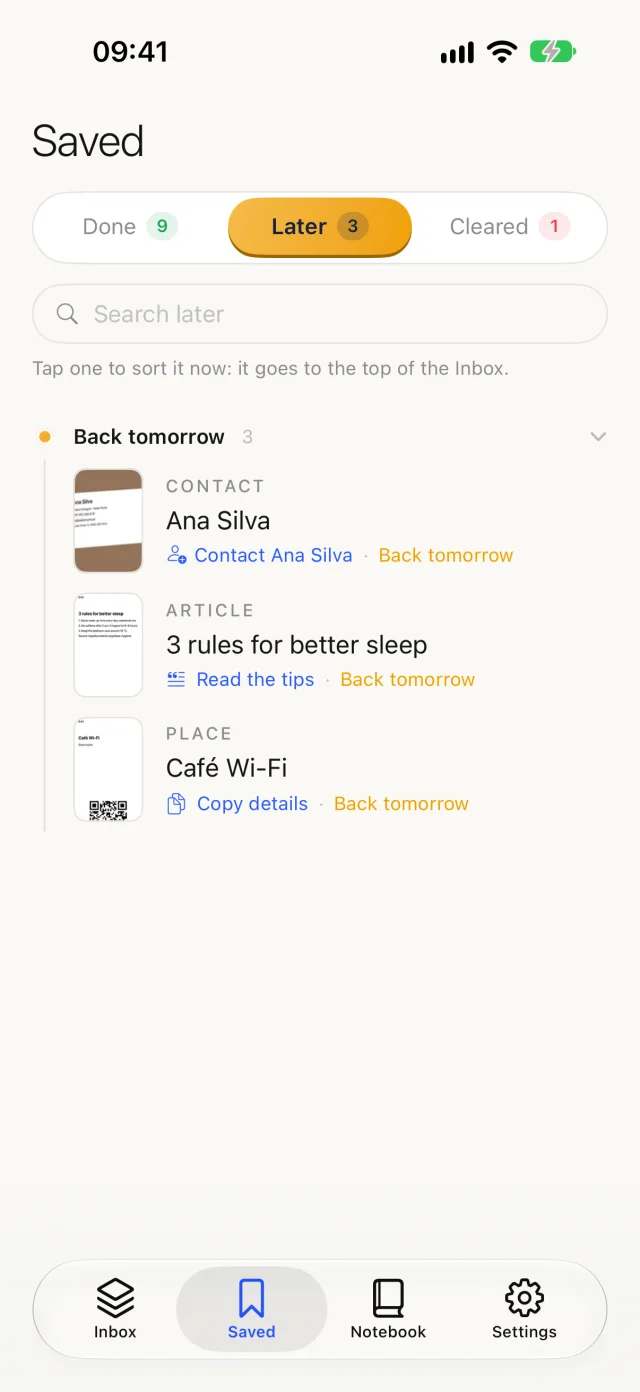
Once a screenshot has done its job, it doesn't need to sit in Photos. See what you did today, what's coming back, and what's ready to go; clear the rest in one pass and give your library its space back.

Inbox zero with today's tally: done, later, notes, clearedInbox zero with today's tally: done, later, notes, cleared
Saved: the Later shelf, by the day each card comes backSaved: the Later shelf, by the day each card comes back

Privacy

Your photos stay on your iPhone. All of them.

Screenshots hold boarding passes, bank details and private chats. So the images are never uploaded, nothing is stored on our side, and no one at Screenshot Hero ever sees what you saved.

0

images uploaded

Reading happens on the device, with Apple Vision.

0

accounts

No sign-up, no email, no profile. Nothing to leak.

0

copies kept

Our server stores no text and logs none. It passes it to the AI and back.

0

trackers

No ads, no analytics SDK, no tracking across apps.

01 · On device

Read

Text, QR codes and dates are recognized on your iPhone.

02 · On device

Mask

Passwords, codes, card numbers and IBANs are replaced before anything leaves.

03 · Only with your yes

Ask the cloud

Only the harder ones, as masked text. Never the image. Or use your own key.

04 · On device

Keep

Cards and notes live on your iPhone. Delete the app and they're gone.

Read the privacy policy →

Photo safety

Nothing is deleted behind your back.

An app that sees your whole library has to be careful with it. Screenshot Hero never changes your photos by itself.

  1. Clear only sets asideA cleared card stays in your library until you say otherwise.
  2. You review every imageEach one with its own tick, before anything is removed.
  3. iOS asks you againThe system's own confirmation, every time. Two yeses, never one.
  4. Recently Deleted, not goneRemoved images wait 30 days in Photos, where you can bring them back.

Pricing

Start free. Pay for the hard ones.

Sorting, rules, the Notebook and the iPhone's own AI are free and unlimited. Plans only cover the screenshots sent to the cloud AI.

Free

€0

Everything on the device, plus a little cloud AI every day.

  • Unlimited sorting on your iPhone
  • 5 screenshots a day by cloud AI
  • 1 note tidy a day

Own KeyOne payment

€14.99once

Bring your own AI provider key. Text goes straight from your iPhone to it.

  • OpenAI, Anthropic, Gemini, DeepSeek, OpenRouter
  • No daily limit; your provider bills what you use
  • Our server is never contacted

Prices in euros; the App Store shows yours. Screenshots your iPhone settles on its own never count.

Languages

Reads the world. Speaks yours.

The app speaks ten languages, and reads screenshots in many more: a Japanese booking, a German menu, a Korean chat.

EnglishDeutschFrançaisEspañolItalianoPortuguês日本語한국어简体中文繁體中文

Screenshot Hero app icon

Clear your camera roll
one swipe at a time.

Coming soon to the App Store, free, for iPhone with iOS 18 or later.

Coming soon to the App Store